Employee Self-Service: Complete Guide for 2026
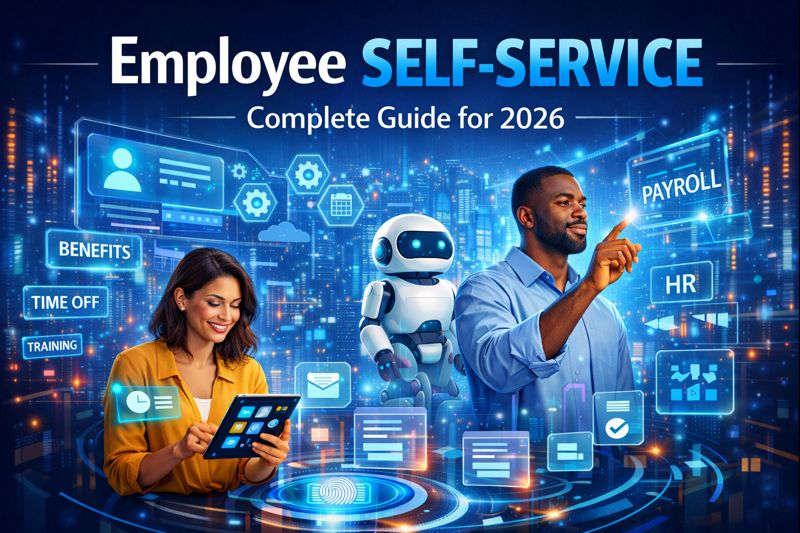
Employee Self-Service (ESS) is a digital platform that empowers employees to manage their own HR-related tasks, access personal information, and complete transactions without requiring HR intervention. It encompasses personal data management, payslip access, leave applications, attendance tracking, document retrieval, and various HR processes enabling employees to serve themselves anytime, anywhere.
Beyond reducing HR workload, modern Employee Self-Service is a strategic function that improves employee experience, increases engagement, ensures data accuracy, and provides transparency. It involves mobile access, intuitive interfaces, automated workflows, and real-time information that transform employees from passive recipients of HR services into active participants in managing their employment journey.
In today’s digital workplace where employees expect consumer-grade experiences and instant access to information, effective Employee Self-Service is essential for employee satisfaction, operational efficiency, data accuracy, HR productivity, and creating modern, employee-centric organizations.
The Strategic Impact of Employee Empowerment
Employee self-service transforms how organizations deliver HR services and how employees interact with HR systems:
Employee Satisfaction: 93% of employees expect self-service options for routine HR tasks. Organizations providing robust ESS report 40% higher employee satisfaction scores than those without.
HR Productivity: Self-service reduces HR team workload by 60-70% by eliminating routine inquiries about payslips, leave balances, tax documents, and personal information freeing HR for strategic work.
Data Accuracy: When employees update their own information (address, emergency contacts, bank details), accuracy improves by 80% compared to HR-entered data reducing errors and compliance risks.
Cost Reduction: Self-service reduces HR administrative costs by $5-15 per transaction. For organizations with thousands of employees, savings reach hundreds of thousands annually.
Employee Engagement: Transparent access to information, control over personal data, and ability to complete tasks independently increases engagement and trust in the organization.
Process Speed: Self-service applications for leave, documents, or information changes process instantly versus days or weeks through manual HR intervention improving employee experience.
24/7 Availability: Employees access HR services anytime, anywhere, from any device eliminating dependency on HR office hours and enabling support for remote, shift, or global teams.
From HR Helpdesk to Digital Empowerment
Employee Self-Service has evolved dramatically with technology advancement:
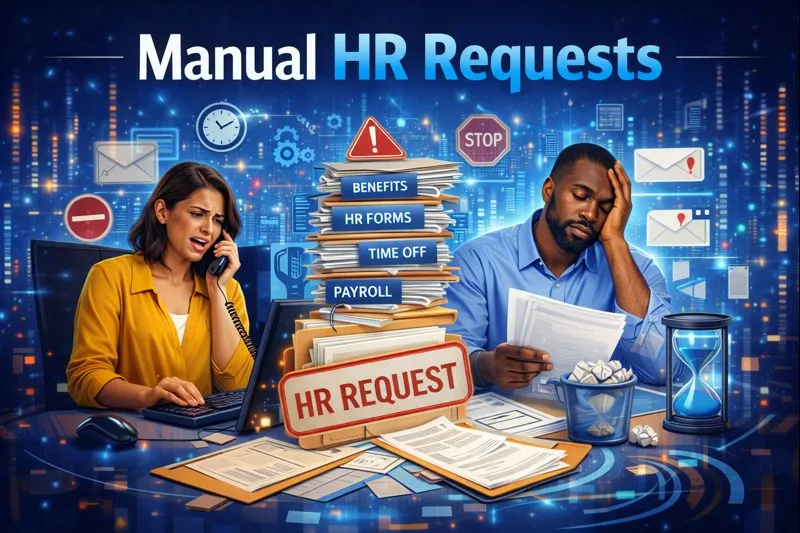 Manual HR Requests:
Employees visited HR offices in person or submitted paper forms for every request including leave applications, personal data changes, or document requests. HR staff processed everything manually, creating bottlenecks and delays.
Manual HR Requests:
Employees visited HR offices in person or submitted paper forms for every request including leave applications, personal data changes, or document requests. HR staff processed everything manually, creating bottlenecks and delays. 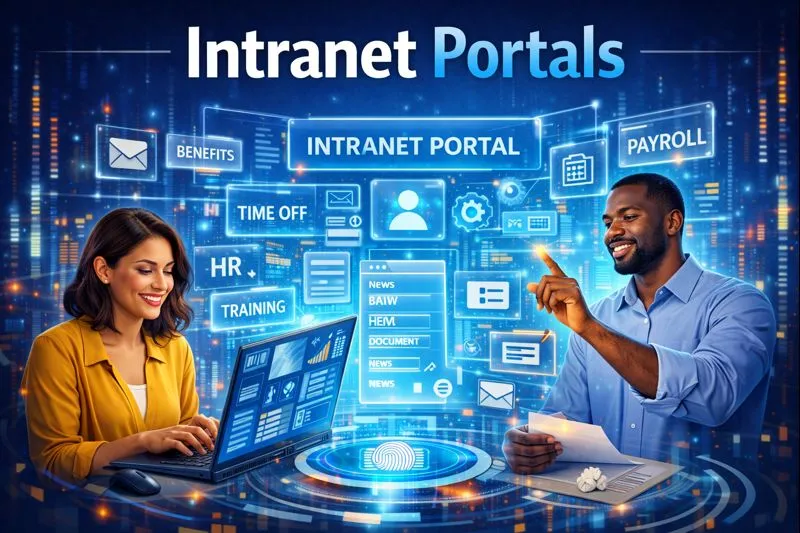 Intranet Portals:
Basic web portals allowed employees to view limited information like company policies, phone directories, or announcements. Most transactions still required HR intervention or paper forms.
Intranet Portals:
Basic web portals allowed employees to view limited information like company policies, phone directories, or announcements. Most transactions still required HR intervention or paper forms.
 Early ESS Systems:
Desktop-based employee portals provided payslip access, leave balance viewing, and basic information updates. However, systems were clunky, required desktop access, and offered limited functionality.
Early ESS Systems:
Desktop-based employee portals provided payslip access, leave balance viewing, and basic information updates. However, systems were clunky, required desktop access, and offered limited functionality.  Enterprise Portals:
Organizations deployed integrated portal solutions combining HR self-service with company news, collaboration tools, and workflow automation. These portals centralized multiple functions but often suffered from complex navigation, slow performance, and limited personalization, representing a transitional phase between basic ESS and modern cloud platforms.
Enterprise Portals:
Organizations deployed integrated portal solutions combining HR self-service with company news, collaboration tools, and workflow automation. These portals centralized multiple functions but often suffered from complex navigation, slow performance, and limited personalization, representing a transitional phase between basic ESS and modern cloud platforms.  Web-Based Platforms:
Cloud-based ESS platforms provided comprehensive self-service including leave applications, expense claims, document access, profile management, and workflow approvals accessible from any browser.
Web-Based Platforms:
Cloud-based ESS platforms provided comprehensive self-service including leave applications, expense claims, document access, profile management, and workflow approvals accessible from any browser.  Mobile-First Solutions:
Smartphone apps provide full ESS functionality in mobile-optimized experiences. Artificial intelligence offers chatbot support, personalized recommendations, and predictive assistance transforming passive portals into intelligent assistants.
Mobile-First Solutions:
Smartphone apps provide full ESS functionality in mobile-optimized experiences. Artificial intelligence offers chatbot support, personalized recommendations, and predictive assistance transforming passive portals into intelligent assistants. Personal Information Management
Empowering employees to maintain their own data.
Profile Management: Employees view and update personal information including contact details, emergency contacts, address, phone numbers, and email ensuring accuracy and currency.
Family Information: Managing dependent details including spouse, children, and other dependents for benefits enrollment, tax declarations, and emergency purposes.
Emergency Contacts: Updating emergency contact information ensuring organizations can reach appropriate people during emergencies or medical situations.
Bank Account Details: Securely updating bank account information for salary deposits with proper verification and approval workflows protecting both employee and organization.
Tax Information: Managing tax declarations including PAN, Aadhar, tax regime selection, and investment declarations for accurate TDS calculations.
Educational Qualifications: Updating education details, certifications, professional licenses, and training completions maintaining current skill records.
Photo Upload: Employees upload or update profile photos ensuring current visual identification for ID badges, directories, and internal communications.
Data Privacy Controls: Employees control visibility of personal information deciding what colleagues can see versus what remains private to HR and management.
Payroll & Compensation Access
Transparent access to compensation information.
Payslip Viewing: Instant access to current and historical payslips with detailed breakdowns of earnings, deductions, taxes, and net pay eliminating wait times and HR requests.
Payslip Download: Ability to download payslips in PDF format for personal records, loan applications, visa processing, or other financial documentation needs.
Tax Documents: Access to Form 16, TDS certificates, annual tax statements, and investment declaration forms supporting tax filing and planning.
Compensation Details: Viewing salary structure including base pay, allowances, bonuses, benefits, and total compensation providing transparency about total rewards.
Salary Slips History: Complete archive of all payslips from joining date enabling employees to access historical compensation information anytime.
Tax Regime Selection: Choosing between old and new tax regimes based on personal situation with calculators showing tax impact of different choices.
Investment Declarations: Submitting tax-saving investment declarations under various sections (80C, 80D, HRA) with document uploads supporting exemptions.
Loan Statements: Viewing outstanding loan balances, EMI schedules, and deduction details for company loans or advances.
Leave Management
Complete control over time-off requests and tracking.
Leave Balance Viewing: Real-time visibility into available leave balance by leave type showing accrued, used, pending, and available days enabling informed planning.
Leave Application: Simple, intuitive leave request submission specifying dates, leave type, reason, and emergency contact with instant submission to approvers.
Leave History: Complete record of all leave taken showing past leave applications, dates, types, and approval status providing personal reference.
Team Calendar: Visibility into team member leaves helping employees plan their own time off avoiding conflicts and ensuring adequate coverage.
Leave Withdrawal: Ability to withdraw submitted leave requests before approval date if plans change with appropriate notifications to managers.
Leave Carry Forward: Viewing carry-forward balances, accrual rules, and expiry dates helping employees plan leave utilization before expiration.
Holiday Calendar: Access to company holiday lists by location helping employees plan personal time around official holidays.
Approval Status Tracking: Real-time visibility into leave request status (pending, approved, rejected) with notifications eliminating uncertainty and follow-up queries.
Attendance & Time Tracking
Transparent access to attendance records and time management.
Attendance History: Complete view of daily attendance records showing clock-in/clock-out times, total hours worked, and attendance status.
Regularization Requests: Submitting requests to correct missed clock-ins, early departures, or attendance errors with explanations and supporting documents.
Overtime Records: Viewing overtime hours worked, approval status, and compensation providing transparency about extra work and payment.
Shift Schedules: Accessing assigned shift timings, rotation patterns, and upcoming schedule helping employees plan personal commitments.
Shift Swap Requests: Requesting shift changes or swaps with colleagues subject to manager approval providing flexibility while maintaining coverage.
Work From Home Marking: Indicating work-from-home days in hybrid work environments ensuring accurate attendance and location tracking.
Biometric Exceptions: Reporting biometric device failures, technical issues, or other legitimate reasons for attendance discrepancies.
Monthly Summaries: Comprehensive monthly attendance reports showing total working days, present days, leaves, and late arrivals for personal records.
Expense & Reimbursement Claims
Streamlined expense submission and tracking.
Expense Submission: Creating expense reports with intuitive forms, receipt uploads, and categorization from mobile or web platforms.
Receipt Capture: Photographing receipts with smartphones, automatic OCR extraction of details, and digital storage eliminating paper receipt management.
Expense Tracking: Real-time visibility into submitted expenses, approval status, and reimbursement processing providing transparency.
Reimbursement History: Complete record of all reimbursement claims, amounts, approval dates, and payment dates for personal financial tracking.
Policy Guidelines: Access to expense policies, spending limits, eligible categories, and documentation requirements ensuring compliant submissions.
Mileage Logging: Recording business mileage with trip details, automatic calculation using standard rates, and submission for reimbursement.
Approval Status: Notifications when expenses are approved, rejected, or require additional information eliminating uncertainty and delays.
Payment Tracking: Visibility into when approved expenses will be paid or have been deposited providing clarity on reimbursement timing.
Document Access & Management
On-demand access to employment documents.
Document Repository: Centralized access to all employment-related documents including offer letters, employment contracts, policies, handbooks, and certifications.
Payslip Archive: Complete collection of all payslips from joining date with search, filter, and bulk download capabilities.
Tax Documents: All tax-related documents including Form 16, TDS certificates, and tax computation sheets in one accessible location.
Policy Documents: Company policies, employee handbook, code of conduct, and departmental procedures available anytime for reference.
Training Certificates: Completion certificates from training programs, compliance courses, and skill development activities.
Performance Documents: Appraisal letters, performance reviews, goal sheets, and development plans providing complete performance history.
Personal Documents: Uploaded identification, education certificates, address proofs, and other personal documents submitted during onboarding or updates.
Document Download: Ability to download any accessible document in standard formats for personal records or external requirements.
Performance & Goals Management
Active participation in performance processes.
Goal Setting: Creating personal goals aligned with organizational objectives, department targets, or role requirements with manager collaboration.
Progress Tracking: Updating goal progress throughout review cycle with status indicators, completion percentages, and achievement notes.
Self-Assessment: Completing self-evaluation forms rating own performance against goals, competencies, and expectations before manager review.
Manager Feedback: Viewing feedback from managers including ratings, comments, development suggestions, and recognition.
360-Degree Feedback: Providing input on colleagues’ performance when participating in multi-rater assessment processes.
Development Plans: Accessing individual development plans, learning recommendations, and career path guidance.
Performance History: Complete record of past performance reviews, ratings, goals achieved, and development activities tracking career progression.
Skill Profiles: Managing skill inventories, proficiency levels, certification status, and areas for development supporting career planning.
Learning & Development
Self-directed learning and skill development.
Training Catalog: Browsing available training programs, courses, certifications, and learning resources with descriptions and enrollment information.
Course Enrollment: Self-enrolling in training programs, workshops, or e-learning courses based on interests and development needs.
Learning History: Complete record of completed trainings, certifications earned, and skills developed providing comprehensive learning portfolio.
Training Calendar: Viewing scheduled training sessions, webinars, and learning events with registration capabilities.
Certification Tracking: Managing professional certifications including expiry dates, renewal requirements, and continuing education credits.
Learning Paths: Following structured learning journeys for role progression, skill development, or career advancement.
Course Materials: Accessing training materials, presentations, resources, and recordings from attended programs for reference and review.
Skill Assessments: Taking skill tests or assessments measuring proficiency and identifying development areas.
Benefits & Wellness
Managing employee benefits and wellness programs.
Benefits Overview: Viewing enrolled benefits including health insurance, retirement plans, life insurance, and other company-provided benefits.
Enrollment Management: Selecting or changing benefit options during open enrollment periods with decision support tools and coverage comparisons.
Dependent Management: Adding or removing dependents from benefits coverage with required documentation and verification.
Claims Status: Tracking insurance claims, reimbursements, or benefit utilization with status updates and payment information.
Wellness Programs: Accessing wellness initiatives, fitness challenges, health screenings, and mental health resources.
Retirement Planning: Viewing retirement account balances, contribution levels, investment options, and retirement planning tools.
Flexible Benefits: Allocating flexible benefit allowances across available options based on personal needs and preferences.
Benefits Communication: Receiving personalized benefits information, enrollment reminders, and educational resources about available programs.
Employee Self-Service Challenges

Low Adoption: Poorly designed systems with confusing interfaces result in 30-40% employee adoption forcing continued HR dependence and limiting ROI.
Mobile Limitations: Systems designed for desktop create frustrating mobile experiences deterring usage by employees who primarily work from smartphones.
Information Overload: Cluttered interfaces overwhelming employees with too many options, excessive information, or complex navigation reducing effectiveness.
Security Concerns: Inadequate security for sensitive personal and financial information creates risks of data breaches, identity theft, or unauthorized access.
Integration Gaps: Disconnected ESS from core HR systems requiring duplicate data entry, causing information inconsistencies, and limiting self-service scope.
Limited Functionality: Systems offering only basic features (payslip viewing) missing key capabilities (leave applications, expense claims) forcing continued HR dependency.
Poor Support: Inadequate help resources, unclear error messages, and missing guidance leave employees confused and unable to complete tasks independently.
Update Delays: Information updates not reflecting in real-time create confusion when employees see outdated balances, status, or approvals.
Digital Divide: Some employee populations (deskless workers, older employees, low digital literacy) struggle with self-service creating inequity and exclusion.
Change Resistance: Employees accustomed to HR handling everything resist self-service seeing it as extra work rather than empowerment.
How Technology Transforms Employee Experience
Digital employee self-service leverages technology to empower employees, improve experience, and optimize HR operations.
Mobile-First Design: Intuitive smartphone apps providing full ESS functionality optimized for mobile use enabling access anywhere, anytime from preferred devices.
Single Sign-On: One login accessing all HR services eliminating multiple passwords, improving security, and simplifying access for employees.
Personalized Dashboards: Customized home pages showing relevant information, pending actions, and personalized content based on role, location, and preferences.
Chatbot Assistance: AI-powered virtual assistants answering questions, guiding processes, and providing instant support 24/7 without human intervention.
Push Notifications: Proactive alerts about approvals needed, balance updates, policy changes, or required actions ensuring employees stay informed.
Voice Interface: Voice-activated queries and commands enabling hands-free interaction particularly valuable for deskless or mobile employees.
Intelligent Search: Natural language search finding answers, documents, or information quickly without knowing exact terms or navigation paths.
Offline Capabilities: Core functionality available without internet connection syncing automatically when connected supporting employees with connectivity challenges.
Accessibility Features: Screen readers, high contrast modes, font size adjustments, and other accommodations ensuring usability for all employees.
Multilingual Support: Interface and content in multiple languages supporting diverse, global workforces and improving comprehension.
“ Moxiego’s Employee Self-Service (ESS) module is designed to empower employees with seamless access to their HR information, streamline routine HR processes, and enhance overall workforce efficiency while ensuring data accuracy and compliance. ” Miinfotech
Proven Strategies for ESS Success
Design for Mobile: Prioritize mobile experience as primary interface since most employees will access ESS from smartphones ensuring responsive, touch-friendly design.
Keep it Simple: Minimize clicks, reduce options, use plain language, and create intuitive navigation making self-service easier than contacting HR.
Comprehensive Functionality: Provide full ESS capabilities beyond basics including leave, expenses, documents, learning, and benefits reducing partial adoption.
Robust Support: Embed help content, provide chatbot assistance, offer video tutorials, and maintain FAQs enabling employees to solve issues independently.
Ensure Security: Implement strong authentication, data encryption, audit trails, and privacy controls protecting sensitive employee information.
Promote Adoption: Launch campaigns, conduct training, highlight benefits, celebrate usage, and recognize adoption driving behavioral change.
Continuous Improvement: Gather feedback, monitor usage analytics, identify pain points, and regularly enhance features improving experience over time.
Personalization: Customize dashboards, content, and notifications based on employee profile, preferences, and behavior increasing relevance and engagement.
Real-Time Updates: Ensure instant information refresh when employees make changes eliminating confusion and building trust in system accuracy.
Measure Success: Track adoption rates, transaction volumes, HR inquiry reduction, and employee satisfaction demonstrating value and identifying improvements.
Quantifying the Business Impact
HR Productivity Gains: Self-service reduces HR administrative workload by 60-70% freeing hundreds to thousands of hours annually for strategic initiatives worth $50,000-200,000.
Transaction Cost Savings: Reducing cost per transaction from $15-25 (HR-handled) to $1-3 (self-service) saves $10-20 per transaction totaling massive savings at scale.
Improved Data Accuracy: Employee-updated information is 80% more accurate than HR-entered data preventing errors in payroll, benefits, compliance, and communications.
Reduced Errors: Self-service eliminates transcription errors, misheard information, and communication gaps reducing costly mistakes in payroll and benefits.
Faster Processing: Instant processing versus days/weeks waiting for HR intervention improves employee satisfaction and accelerates business processes.
Employee Satisfaction: Organizations with robust ESS report 40% higher employee satisfaction and 30% better engagement scores improving retention.
Support Cost Reduction: Deflecting inquiries to self-service reduces help desk calls by 50-70% lowering support costs and improving response quality.
Compliance Improvement: Better documentation, audit trails, and timely updates through self-service improve compliance and reduce regulatory risks.
A Framework for Success

Step 1: Assess Employee Needs Survey employees about pain points, desired features, usage patterns, and device preferences understanding requirements from user perspective.
Step 2: Evaluate Current Capabilities Audit existing systems identifying what’s working, gaps in functionality, adoption barriers, and integration requirements.
Step 3: Define ESS Scope Prioritize features based on impact and effort starting with high-value, frequently-used transactions before expanding to comprehensive suite.
Step 4: Select Platform Choose ESS solution matching requirements considering mobile capabilities, features, integration, user experience, security, and total cost.
Step 5: Design User Experience Create intuitive interfaces, logical navigation, simple workflows, and helpful content through user-centered design and employee feedback.
Step 6: Configure & Integrate Set up features, configure workflows, integrate with HR systems, establish security, and thoroughly test before launch.
Step 7: Launch & Promote Phased rollout with comprehensive communications, training, demos, incentives, and leadership endorsement driving awareness and adoption.
Step 8: Support & Optimize Provide multi-channel support, gather feedback, monitor metrics, identify issues, and continuously enhance features improving experience.
What to Look for in an ESS Platform
Mobile-First Design: Native mobile apps with intuitive interfaces, offline capabilities, and full functionality optimized for smartphone use.
Comprehensive Features: Complete ESS suite including personal info, payslips, leave, attendance, expenses, documents, performance, learning, and benefits.
Intuitive Interface: Easy-to-use design requiring minimal training with logical navigation, clear labels, and helpful guidance throughout.
Single Sign-On: Integration with corporate authentication enabling one-login access improving security and user experience.
Real-Time Updates: Instant information refresh when changes occur ensuring employees see current, accurate data building trust.
Robust Security: Multi-factor authentication, data encryption, role-based access, audit trails, and privacy controls protecting sensitive information.
Integration Capabilities: Seamless connection with HRMS, payroll, attendance, learning, and other systems ensuring data consistency.
Chatbot Support: AI-powered virtual assistant answering questions, guiding processes, and providing 24/7 help without human intervention.
Personalization: Customizable dashboards, targeted notifications, and role-based content increasing relevance and engagement.
Accessibility: WCAG compliance, screen reader support, keyboard navigation, and other features ensuring usability for all employees.
Analytics Dashboard: Comprehensive metrics on adoption, usage, popular features, and support queries informing optimization decisions.
Multilingual Support: Interface and content in multiple languages supporting diverse, global workforces.
The Complete Self-Service Platform
Moxiego delivers comprehensive employee self-service that combines powerful functionality with exceptional user experience.
Mobile-First Experience: Beautiful, intuitive mobile apps providing full ESS functionality optimized for smartphones enabling access anywhere, anytime.
Complete Functionality: Everything employees need including payslips, leave, attendance, expenses, documents, performance, learning, and benefits in one platform.
Instant Information: Real-time updates on leave balances, approval status, reimbursements, and personal data ensuring employees see current, accurate information.
AI-Powered Assistance: Intelligent chatbot answering questions, guiding processes, and providing instant support 24/7 in natural language.
Seamless Integration: Native connection with all Moxiego HR modules ensuring consistent data and eliminating duplicate entry or synchronization issues.
Enterprise Security: Bank-level encryption, multi-factor authentication, granular permissions, and comprehensive audit trails protecting employee information.
Personalized Dashboards: Customized home pages showing relevant information, pending actions, and personalized content based on employee profile.
Exceptional Support: In-app help, video tutorials, chatbot assistance, and comprehensive FAQs enabling employees to solve issues independently.